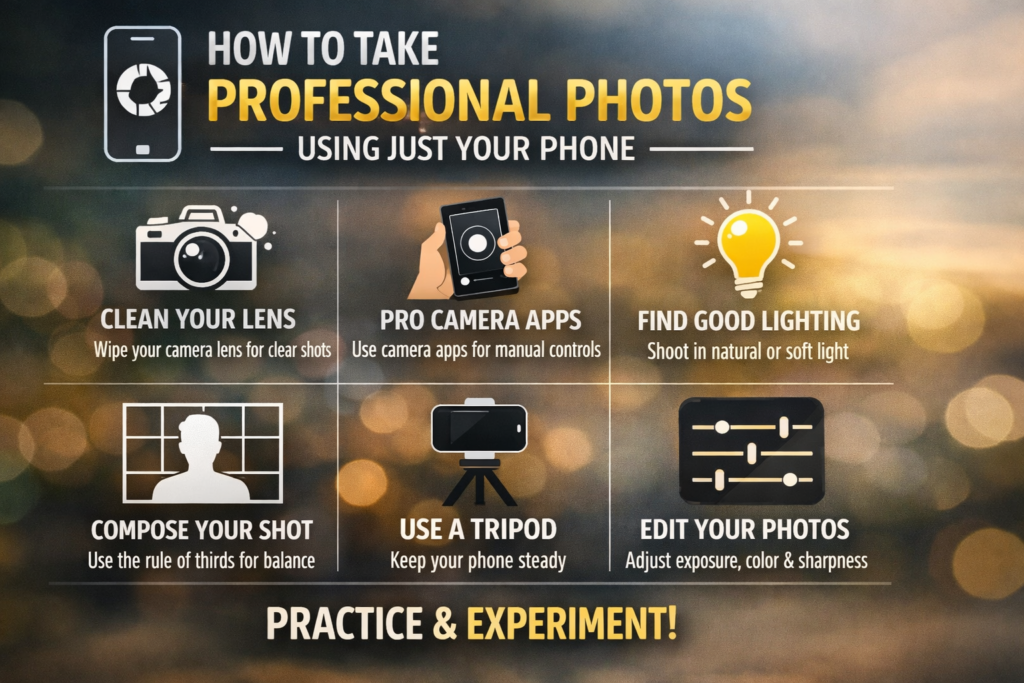
In 2026, smartphone cameras are more powerful than ever. You don’t need an expensive DSLR to take stunning, professional-quality photos. With the right techniques, tools, and a bit of practice, you can capture images that look polished and visually appealing. This guide will teach you how to take professional photos using just your phone.
1. Understand Your Phone Camera
Before taking professional photos, familiarize yourself with your phone’s camera features:
- Resolution & Megapixels: Higher megapixels generally provide sharper images.
- Manual Mode / Pro Mode: Allows you to adjust settings like ISO, shutter speed, and focus.
- Grid Lines: Use grid lines for proper composition and alignment.
- HDR Mode: Helps balance exposure in high-contrast scenes.
Knowing your camera’s capabilities ensures you make the most of it.
2. Focus on Composition
Composition is key to professional-looking photos. Apply these techniques:
- Rule of Thirds: Divide the frame into a 3×3 grid and place subjects along lines or intersections.
- Leading Lines: Use roads, paths, or natural lines to guide the viewer’s eye to the subject.
- Framing: Frame your subject with natural elements like windows, trees, or doorways.
- Simplicity: Keep backgrounds clean and avoid distractions.
Good composition can make even a simple subject look striking.
3. Use Natural Light
Lighting can make or break a photo. Smartphones work best in natural light:
- Golden Hour: Shoot during early morning or late afternoon for soft, warm lighting.
- Avoid Harsh Midday Sun: Direct sunlight can create harsh shadows; use shade instead.
- Backlighting: Position the light behind your subject for creative silhouettes.
- Reflectors: Use a white card, wall, or even a phone screen to bounce light onto your subject.
Understanding light will elevate the quality of your photos instantly.
4. Stabilize Your Phone
Blurred images result from camera shake. Improve stability by:
- Using a tripod or phone mount
- Leaning on solid surfaces for support
- Holding your phone with both hands and keeping elbows close to your body
- Using burst mode to capture multiple shots and choose the sharpest one
Stable shots appear sharper and more professional.
5. Experiment with Angles and Perspectives
Changing your angle can make a photo more dynamic:
- Shoot from above for flat lays
- Shoot low for dramatic perspectives
- Capture wide shots to show the environment
- Use close-ups to highlight details
Experimenting with angles helps your photos stand out and adds a professional touch.
6. Use Editing Apps
Even professional photographers edit their images. Editing apps enhance colors, exposure, and sharpness:
- Lightroom Mobile – Adjust exposure, contrast, highlights, and colors
- Snapseed – Offers selective adjustments and filters
- VSCO – Provides creative filters and presets
- Photos App (iOS/Android) – Basic editing like cropping, brightness, and saturation
Editing should enhance your photo, not overdo it. Keep it natural for a professional look.
7. Master Focus and Exposure
Proper focus and exposure are essential:
- Tap on your subject to focus manually
- Adjust exposure by sliding your finger up or down on the screen
- Avoid overexposed or underexposed areas
- For portraits, use portrait mode to blur the background and emphasize the subject
Control over focus and exposure gives your photos a professional finish.
8. Utilize Phone Accessories
Several accessories can enhance smartphone photography:
- External lenses – Wide-angle, macro, or telephoto lenses for creative shots
- Portable lights / ring lights – Useful for low-light or indoor photography
- Gimbals – Stabilize your phone for video or moving shots
Even small investments can drastically improve photo quality.
9. Practice Composition and Storytelling
Professional photography is not just about technical skills; it’s about telling a story:
- Plan shots to convey emotion or a message
- Capture candid moments for authenticity
- Use props or backgrounds to add context
- Experiment with symmetry, reflections, or shadows for creative visuals
Photos that tell a story are more engaging and memorable.
10. Tips for Consistency and Style
Developing a consistent style helps your photos look professional:
- Stick to a color palette or tone in your edits
- Use similar lighting techniques for all shots
- Maintain consistent framing and composition
- Develop a personal aesthetic that becomes recognizable
Consistency makes your work look polished and professional, whether for social media or portfolios.
Conclusion
Taking professional photos using just your phone is entirely possible with the right approach. By understanding your camera, focusing on composition, leveraging natural light, stabilizing your shots, experimenting with angles, and using editing apps, you can capture high-quality images that rival those taken with professional cameras. With consistent practice, attention to detail, and a creative mindset, your smartphone can become a powerful tool for professional photography in 2026.