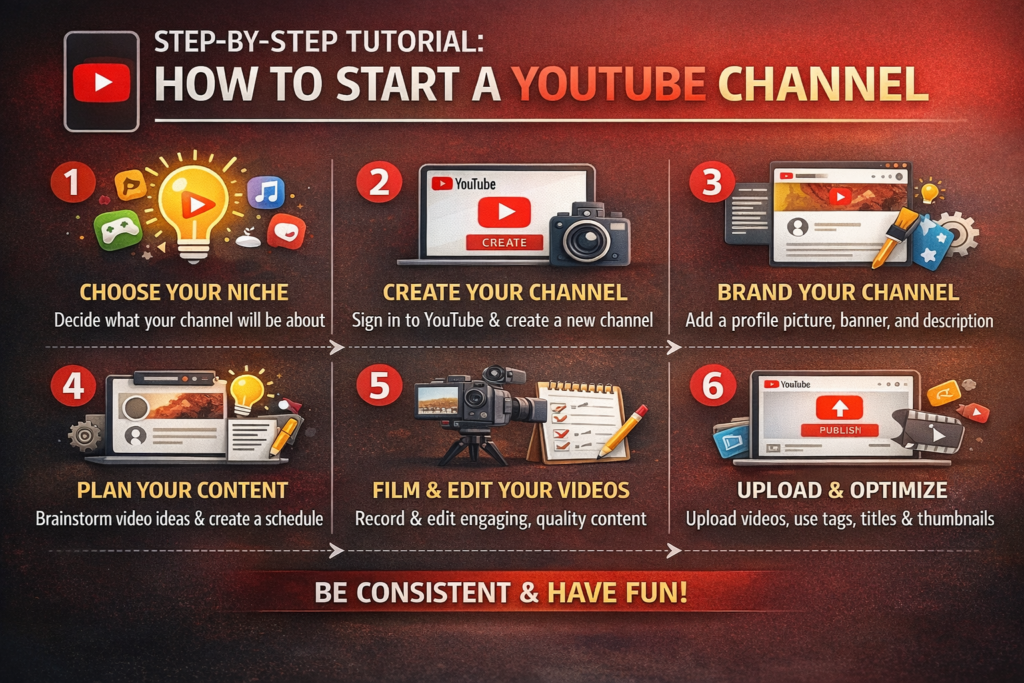
YouTube has grown into one of the largest platforms for content creators worldwide. Whether you want to share your passion, educate, entertain, or earn money, starting a YouTube channel in 2026 is easier than ever. This step-by-step tutorial will guide you from creating your channel to uploading your first video and growing your audience.
1. Decide Your Niche
Before creating a YouTube channel, you need to decide your niche. Your niche determines the type of content you will produce and the audience you want to target. Popular niches include:
- Tech and gadgets
- Travel and lifestyle
- Education and tutorials
- Health and fitness
- Gaming
- Beauty and fashion
Choose a niche you are passionate about and can consistently create content for. A clear niche will help you attract loyal viewers.
2. Create a Google Account
YouTube is a Google-owned platform, so a Google account is required to create a channel. If you already have one, you can use it; if not, follow these steps:
- Go to Google Account
- Fill in your details (name, email, password)
- Verify your account via email or phone
Your Google account is now ready to be linked to YouTube.
3. Set Up Your YouTube Channel
Once you have a Google account, you can create your YouTube channel:
- Sign in to YouTube and click your profile icon
- Click “Create a Channel”
- Enter your channel name (ideally related to your niche)
- Customize your channel with a profile picture, banner, and description
Make your channel visually appealing and clearly explain what content viewers can expect.
4. Plan Your Content
Before uploading videos, plan your content strategy:
- Content Ideas: List 10–20 video ideas to start with
- Video Format: Decide if your videos will be tutorials, vlogs, reviews, or interviews
- Upload Schedule: Consistency is key; plan a weekly or bi-weekly schedule
- Research Competitors: Analyze popular channels in your niche to understand trends
Having a content plan helps you stay organized and ensures consistent uploads.
5. Create Your First Video
Now it’s time to create your first video. You don’t need expensive equipment to start:
- Camera: Use a smartphone or webcam with good resolution
- Microphone: Audio quality matters; consider an external mic for clear sound
- Lighting: Natural light or affordable ring lights work well
- Editing Software: Use free tools like DaVinci Resolve, iMovie, or CapCut
Focus on making your first video clear, engaging, and informative.
6. Optimize Video for SEO
Optimizing your video for search engines will help more people find your content. Key steps include:
- Title: Use a clear, descriptive title with keywords
- Description: Add a detailed description with links and keywords
- Tags: Include relevant tags for discoverability
- Thumbnail: Create an eye-catching thumbnail to attract clicks
- Playlists: Organize videos in playlists for better user experience
SEO optimization is crucial to gain views and grow your audience organically.
7. Upload and Publish Your Video
Once your video is ready:
- Click the “Create” button on YouTube
- Select “Upload Video”
- Choose the video file from your device
- Fill in the title, description, tags, and select a thumbnail
- Set visibility: Public, Private, or Unlisted
- Click “Publish”
Your video is now live and available for viewers worldwide.
8. Promote Your Channel
To grow your channel, actively promote your videos:
- Social Media: Share your videos on Facebook, Instagram, TikTok, and Twitter
- Collaborations: Collaborate with other YouTubers to reach new audiences
- Engage Viewers: Respond to comments and ask viewers to like, share, and subscribe
- Join Communities: Participate in forums or groups related to your niche
Promotion helps you gain initial traction and build a loyal audience.
9. Monetize Your Channel
Once your channel meets YouTube’s eligibility requirements, you can monetize:
- YouTube Partner Program: Requires 1,000 subscribers and 4,000 watch hours in the past 12 months
- Ad Revenue: Earn money from ads displayed on your videos
- Channel Memberships: Offer exclusive content to subscribers for a monthly fee
- Affiliate Marketing: Promote products in your videos and earn commissions
- Sponsored Content: Collaborate with brands for paid promotions
Monetization provides financial rewards for consistent, high-quality content.
10. Analyze and Improve
Tracking your channel performance is essential for growth:
- Use YouTube Analytics to monitor views, watch time, traffic sources, and audience demographics
- Identify top-performing videos and replicate their style or topic
- Experiment with video lengths, titles, and thumbnails to improve engagement
Continuous improvement will help your channel grow faster and attract more subscribers.
Tips for Success on YouTube in 2026
- Be Consistent – Upload regularly to build trust with your audience
- Focus on Quality – Both video and audio quality matter
- Engage With Your Audience – Reply to comments and ask for feedback
- Keep Learning – Stay updated on trends, SEO, and YouTube algorithm changes
- Be Patient – Growth takes time; don’t get discouraged by slow initial results
Conclusion
Starting a YouTube channel in 2026 is easier than ever, but success requires planning, consistency, and creativity. By following this step-by-step tutorial—from choosing a niche to optimizing, promoting, and monetizing your videos—you can build a channel that attracts viewers and generates income. With dedication and effort, your YouTube channel can grow into a profitable platform for sharing your passion and expertise.